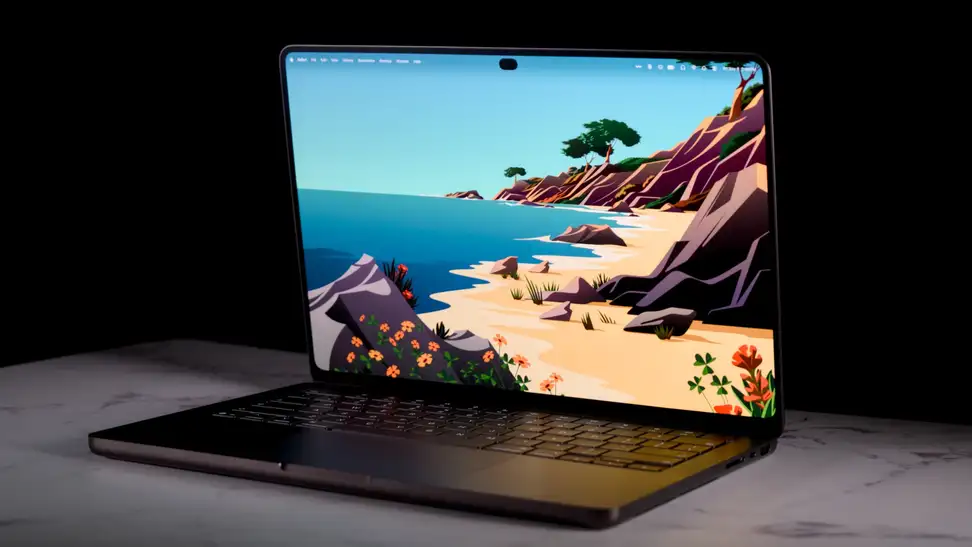
MacBook Pro with ProLED XDR display Review
Apple’s ProLED XDR touchscreen MacBook Pro is stunning, fast, and very expensive

Apple updated the base MacBook Pro with an M6 chip, but the more interesting release this generation is the higher-end model. The MacBook Pro with ProLED XDR display (available at Best Buy) may be a mouthful of a name, but it represents a new direction for Apple's best laptop and hints at where its laptops might be headed. The headline change is the touch display, which confirms years of rumors that Apple would finally add a touchscreen to the Mac and fuels ongoing speculation about how or whether Apple will manage the distinction between macOS and iPadOS. But it's not the only change, and depending on your priorities, it may not even be the most interesting. As a huge fan of what Apple has done with the MacBook line in the M-series era, I was eager to see how good this laptop is. The takeaway? This laptop doesn't just avoid doing anything badly—it does everything better than almost any other laptop. Everything, that is, except cost less.
-
About the MacBook Pro with ProLED XDR display
-
What we like
-
What we don't like
-
Should you buy the MacBook Pro with ProLED XDR display?
-
Related content
Pros
-
Stunning OLED display
-
Touch works well in macOS
-
Strong performance
-
Thin and light
-
Great port selection
-
Excellent keyboard, trackpad, and speakers
Cons
-
Very expensive
-
Can run hot under heavy loads
-
No processor upgrade over the mini-LED model
-
Some touch quirks
About the MacBook Pro with ProLED XDR display
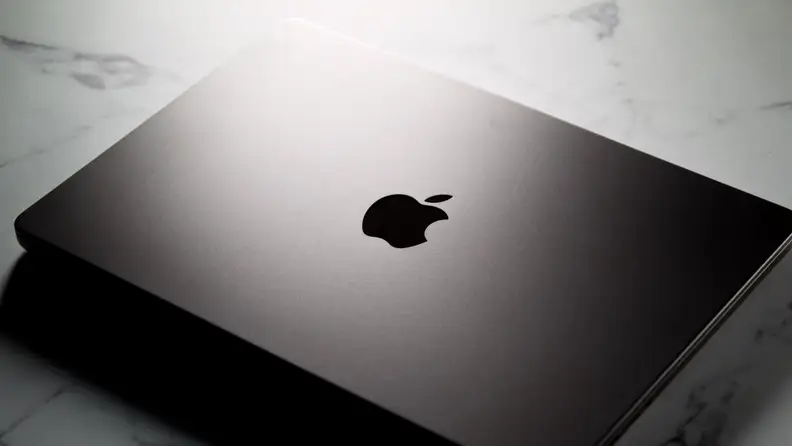
The exterior looks familiar, but the body is thinner and lighter than the last generation.
- Display: 14.2-inch (3024 x 1986) or 16.3-inch (3472 x 2266), 254 ppi
- Panel: Tandem OLED, up to 2,000 nits peak, 10,000,000:1 contrast, adaptive 10Hz–120Hz ProMotion
- Touch: Sensor built into the display panel, Multi-Touch gestures
- Chip: M5 Pro (15- or 18-core CPU, 16- or 20-core GPU) or M5 Max (18-core CPU, 32- or 40-core GPU)
- Memory and storage: M5 Pro 24–64GB, up to 4TB; M5 Max 36–128GB, up to 16TB
- Weight: 3.0 pounds (14-inch M5 Pro), 3.1 pounds (14-inch M5 Max), 4.0 pounds (16-inch M5 Pro), 4.1 pounds (16-inch M5 Max); 0.59 inches and 0.63 inches thick
- Ports: 3x Thunderbolt 5, HDMI, SDXC, MagSafe 3, headphone jack
- Wireless: Wi-Fi 7, Bluetooth 6 (N1 chip)
- Battery: Up to 22 hours (14-inch M5 Pro), 20 hours (14-inch M5 Max), 24 hours (16-inch M5 Pro), and 22 hours (16-inch M5 Max) of video streaming
There's a reason Apple is still selling a non-touch version of the MacBook Pro: The ProLED XDR model is far from cheap. The cheapest configuration has a 14-inch display and an M5 Pro chip, and it starts at $2,899. Spring for the 16-inch variant, and you're looking at a starting price of $3,399. If you want or need to upgrade to the M5 Max, you'll pay $4,499 for the 14-inch model and $4,799 for the 16-inch model.
The model Apple sent me to review costs more than that, though. It's a 14-inch model with an M5 Max, and it adds Apple's matte nano-texture display ($150), the higher-spec M5 Max ($600), 128GB of RAM (which alone adds $2,000), and 4TB of storage ($1,000). Final pricing? A casual $8,249.
What we like
Stunning OLED display
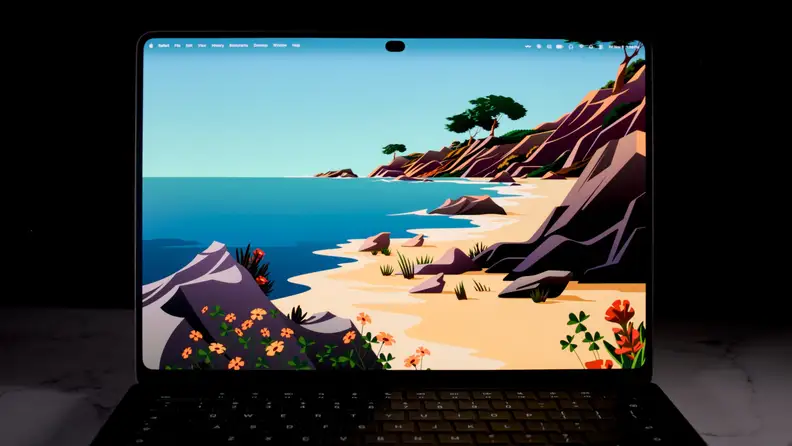
The Tandem OLED panel keeps blacks deep and colors saturated, with less blooming than a typical LED screen.
The display on this laptop does more than support touch. It also happens to be one of the best-looking screens on any device you can buy right now.
The reason it's so good-looking starts with the panel: a Tandem OLED. Tandem OLED screens stack two OLED layers to improve brightness and reduce the risk of burn-in, while preserving the advantages of OLED, such as true black levels, thanks to pixel-level control. That control avoids blooming, which can appear around bright objects on typical LED displays—though to be fair, the mini-LED screen on the previous-generation model already did a good job of controlling this.
Apple rates the screen at up to 2,000-nit peak (up from 1,600 nits on the last model) and 1,000-nit sustained full-screen. In use, it lives up to those numbers: High-contrast scenes with deep blacks and bright highlights look stunning, and even when you're not watching content like that, you'll still benefit from less blooming when dark mode is on.
Those who want accurate colors may benefit the most, though. For them, the pro color features could matter more than the brightness boost. P3 and Adobe RGB, two ranges of reproducible color, are available together in the default preset, and Apple says the display covers more than 80% of the Rec. 2020 color space. This is also the first laptop to support Apple CMF 2026. CMF stands for Color Matching Function, which aims to keep colors consistent across compatible devices such as the iPhone 18 Pro and Studio Display XDR. Reference modes cover cinema, photography, print, and design, while the DICOM presets use the medical-imaging standard for non-diagnostic review, research, and education.
I'd strongly consider the $150 nano-texture option if you work under lights or near windows. It reduces glare and helps with fingerprints, though it won't make either disappear—especially given that this is a touchscreen now.
The move to an OLED panel is a big deal for the MacBook Pro. It's an expected change, too—particularly because the iPad Pro has had one for a while now. If you're a display nerd like me, you'll be thrilled with how it looks.
Touch works well on macOS
I was skeptical about how well touch would work on a Mac, and I worried that Apple would have to change macOS too much to make it work. Thankfully, that's not the case. It's not a perfect implementation, but the changes are invisible until you touch the screen—so if you don't care for touch on a laptop, you don't have to use it, and your experience won't change at all.
If you do want to use touch, the supported gestures feel mostly natural. You can use three fingers to swipe between virtual desktops, just like on a touchpad, and everything else is responsive and smooth. Apple has also made minor tweaks, like making context-menu items bigger only when macOS detects you're using touch rather than the mouse—which is neat.
Not everything is perfect, though. Using the traffic lights (the red, yellow, and green window buttons) to close or minimize an app involves tapping once to zoom in on them, then tapping again in a slightly different spot to hit the button. And, of course, third-party apps aren't necessarily optimized for touch.
That said, being able to use touch in creative workflows is a big plus. I have a background in music production, and I love being able to move faders more naturally and easily. And, again, if you don't want to use touch, then just... don't. Your experience is the same.
Huge performance with good battery life
The M5 Pro and M5 Max are the same chips used in the mini-LED MacBook Pro, so this redesign doesn't bring a processor upgrade. For some, that might be disappointing—especially since the current-generation base chip is the M6. But make no mistake, the M5 Pro and M5 Max deliver huge performance.
Of course, given that the laptop has the same chips in a thinner body, you might assume that thermal constraints make this MacBook Pro perform worse than the last one. For the most part, that assumption doesn't hold up. In practical use, the ProLED XDR model performed just as well as the mini-LED model, taking similar amounts of time to compile large codebases. It did get warm doing this, though, perhaps slightly warmer than the mini-LED model, and the fans kicked in.
In benchmarks, it matched the mini-LED model. As far as thermals go, the thinner build has little effect on performance, though it can still get hot under heavy workloads.
Not only that, but despite the thinner build, the laptop has the same rated battery life as before. Apple rates the 14-inch M5 Pro model at up to 22 hours of video streaming and the 16-inch M5 Pro at up to 24 hours. Actual battery life will vary depending on display brightness, how hard you push the laptop, and so on.
When the battery eventually runs out, it charges quickly, reaching 50% in about 30 minutes with the right charger.
Best-in-class design and port selection
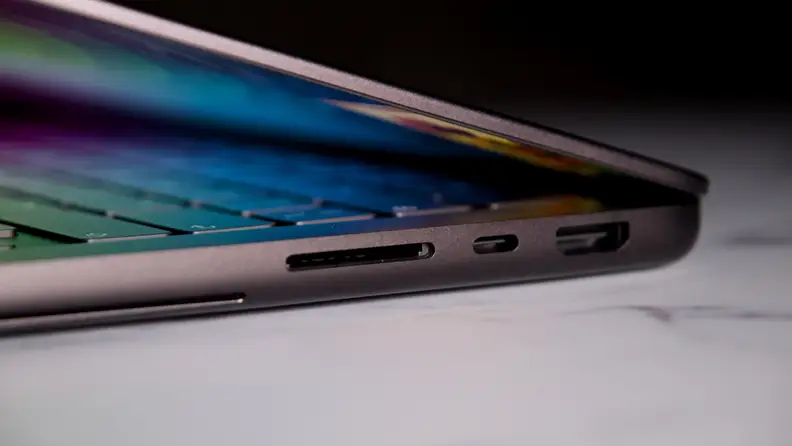
An SD card slot and HDMI sit alongside Thunderbolt 5, which cuts down on dongles.
The ProLED XDR MacBook Pro looks mostly like the previous generation in terms of design, but there are some changes, and frankly, all of them are welcome. For starters, this laptop is thinner and lighter than the previous one. I prefer 14-inch laptops to larger 16-inch ones, mostly because I have a desktop computer at home, so I only use my laptop when I'm on the go. In other words, I never had much of an issue with the weight or size of the 14-inch MacBook Pro, but I'm happy it's even lighter now. The 14-inch model is around half a pound lighter than the mini-LED version, while the 16-inch model is 0.7 pounds lighter.
The other design changes are smart, too. The display now has four rounded corners instead of only two at the top, which gives it a more uniform look. More importantly, the display now has a Dynamic Island cutout instead of a notch. The notch never bothered me, but the Dynamic Island is an upgrade, and it lets you control media, just like on the iPhone.
The port selection is still just as good, too. Three Thunderbolt 5 ports sit alongside HDMI, an SDXC card slot, MagSafe 3, and a headphone jack. Thunderbolt 5 also supports Genlock, a synchronization signal that keeps compatible video equipment aligned frame by frame, which could be handy for professionals. The M5 Pro supports up to three external displays, while the M5 Max supports four.
Great keyboard, trackpad, and speakers
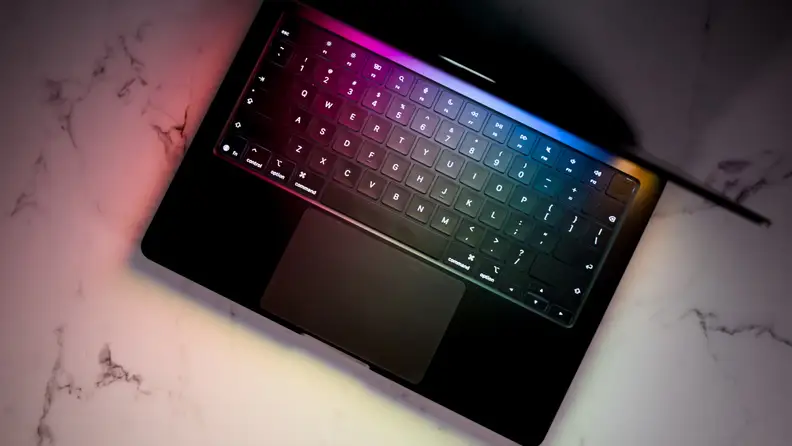
The keyboard and trackpad are largely unchanged from the last generation, and that’s not a complaint.
In 2020, Apple finally finished phasing out the butterfly keyboard, which users disliked and which plagued MacBooks with reliability issues. Since then, the company has stuck with a keyboard design that feels great to type on. Keys have satisfying travel and a tactile feel, and I find typing on the MacBook Pro comfortable.
Even better is the trackpad. MacBooks have always offered a trackpad that's head and shoulders above the Windows competition. And while Windows laptop makers have narrowed the gap, I've yet to use a Windows laptop with a trackpad on par with even cheaper MacBooks. The one on this MacBook Pro is spacious, responsive, and premium-feeling.
Neither the keyboard nor the trackpad is all that different from previous models, though. The speakers are. The six-speaker system gets upgraded tweeters and what Apple says is 50% deeper bass. That's alongside a closed-lid audio tuning mode that keeps audio sounding great even when your laptop is closed—handy for when you plug it into an external display, for example.
The speakers in the laptop sound excellent, at least as far as laptop speakers go. They're more detailed and offer deeper bass than any other laptop speakers I've used, and they make for an enjoyable listening experience in a pinch. As usual, you'll still get better audio from a good pair of headphones, but with recent MacBooks, the days of not being able to at least listen to background music without cringing are gone.
What we don't like
Price
The MacBook Pro with ProLED XDR display doesn't replace the mini-LED MacBook Pros that Apple released earlier in 2026. On the one hand, that gives users options, but the downside is that they come at different price points. While the mini-LED MacBook Pro with M5 Pro starts at $2,499, the ProLED XDR model starts at a hefty $2,899—$400 more.
Again, that's a starting price. The most expensive version of this MacBook Pro runs up to an eye-watering $14,549. As tested, my review unit costs $8,249.
To be clear, this MacBook is for professionals, not casual users—unless those casual users happen to have disposable funds for such a product. But that doesn't change the cost. Hopefully, in the not-too-distant future, this version of the MacBook Pro will become the standard, and it'll start at $2,000 instead. In the meantime, if you want a MacBook Pro but could stand to save some cash, there's still the mini-LED model to consider.
Should you buy the MacBook Pro with ProLED XDR display?
Yes, if you like macOS and want the best laptop Apple has ever made (and can afford it)
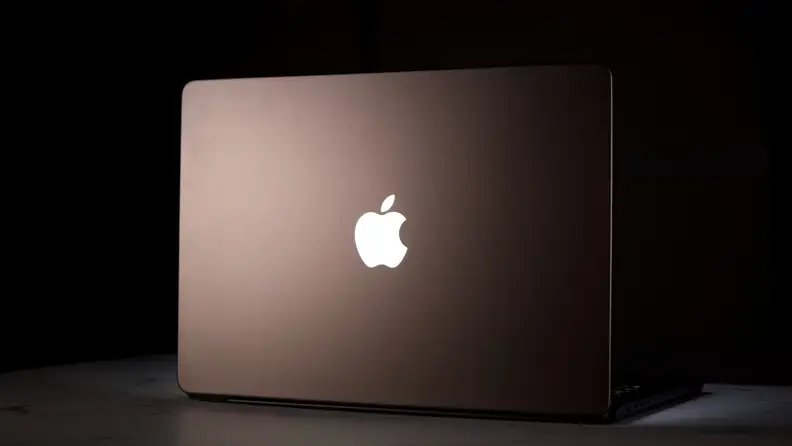
For macOS fans who want the best Apple laptop yet, the price is the only real obstacle.
There's a lot that makes this ProLED XDR MacBook Pro (available at Best Buy) special. At the top of the list is the display. I'm not talking about the touch support, either. I'm talking about how great content and macOS in general look with an OLED panel. It's vibrant, bright, and just stunning.
On top of that, same as before, you're getting excellent performance, a best-in-class selection of ports, a solid keyboard and trackpad, and good battery life.
Setting price aside, there's nothing this MacBook Pro does poorly. In fact, it does everything as well as or better than any other laptop out there.
Related content
-
 The Best Wireless Keyboard and Mouse Combos of 2026
 best-right-now
-


 review
Meet the tester

Christian de Looper is a consumer tech journalist with over a decade of experience. De Looper has covered all areas of the consumer tech industry, from smartphones to smart homes — and has attended all of the major trade shows, including CES.
De Looper has always been interested in consumer technology, but his love for gadgets and electronics blossomed into a full-blown passion when he started writing about it while completing his degree in audio production.
Since then, he has written for many of the top tech publications, including Digital Trends, Tom’s Guide, TechRadar, and many more. He loves getting his hands on all of the latest gadgets, but when he’s not reviewing tech, he can be found hanging out with his family or producing music.
Checking our work.
Our team is here to help you buy the best stuff and love what you own. Our writers, editors, and experts obsess over the products we cover to make sure you're confident and satisfied. Have a different opinion about something we recommend? Email us and we'll compare notes.
Shoot us an email